Free Cloud Storage Under 50GB: Best Options for 2026
Finding reliable free cloud storage under 50gb can be surprisingly useful when you need to back up photos, documents, videos, or important work without paying for a premium subscription. Cloud storage allows you to keep files online and access them from different devices, making it easier to protect important data and free up space on your phone or computer.
The good news is that several cloud storage services provide free plans with enough space for everyday users. However, storage capacity is only one factor to consider. Security, file-sharing options, synchronization, device support, and ease of use are equally important.
In this guide, we’ll explore what to look for when choosing free cloud storage under 50gb, how different services compare, and how to get the most from your available storage.
What Is Cloud Storage?
Cloud storage is an online service that lets you save your files on remote servers instead of keeping everything exclusively on your computer or smartphone.
When you upload a file, the service stores it in its data centers. You can then access that file through an app or web browser as long as you have an internet connection.
For example, you might upload:
- Photos and videos
- Word documents and PDFs
- School or university projects
- Business files
- Device backups
- Music and other media
- Important personal documents
One major advantage is that your files aren’t limited to a single device. If your laptop stops working, you can still access files that were safely stored online.
Why Choose Free Cloud Storage Under 50GB?
Not everyone needs hundreds of gigabytes of online storage. For many people, a free plan between a few gigabytes and 50GB is enough for essential files.
Choosing a free service can be particularly helpful if you:
- Don’t want another monthly subscription
- Need basic document storage
- Want to transfer files between devices
- Need a simple backup location
- Are testing cloud storage for the first time
- Have a relatively small collection of files
A free account also gives you an opportunity to test a provider’s interface and features before deciding whether a paid upgrade is worthwhile.
What Should You Look For?
Before choosing a cloud storage provider, don’t focus entirely on the advertised storage amount. A service offering slightly less space may actually be more useful if it provides better security and synchronization.
1. Storage Capacity
The first consideration is obviously the amount of storage included in the free plan.
Different providers offer different limits, so check the current terms before creating an account. Some services may advertise a larger amount of potential storage but require referrals, promotions, or additional steps to unlock it.
2. Security
Security should be one of your biggest concerns.
Look for services that use encryption during file transfers and provide strong account security features such as two-factor authentication.
You should also use a unique password for your cloud account. If the account contains important personal or business documents, protecting the login is just as important as choosing a reputable provider.
3. File Synchronization
Synchronization allows files stored in the cloud to remain accessible across multiple devices.
For example, you could edit a document on your laptop and later access the updated version from your phone.
A good synchronization system can save considerable time if you regularly work across different devices.
4. File Sharing
Sharing is another useful feature.
Many cloud services allow you to create a link that can be sent to another person. Depending on the provider, you may also be able to control whether recipients can view, edit, or download the file.
5. Mobile and Desktop Apps
A good cloud storage service should ideally work across the devices you use regularly.
Check whether the provider has applications for your operating system and mobile platform. A browser-based interface can also be useful when you are working from an unfamiliar computer.
Popular Options to Consider
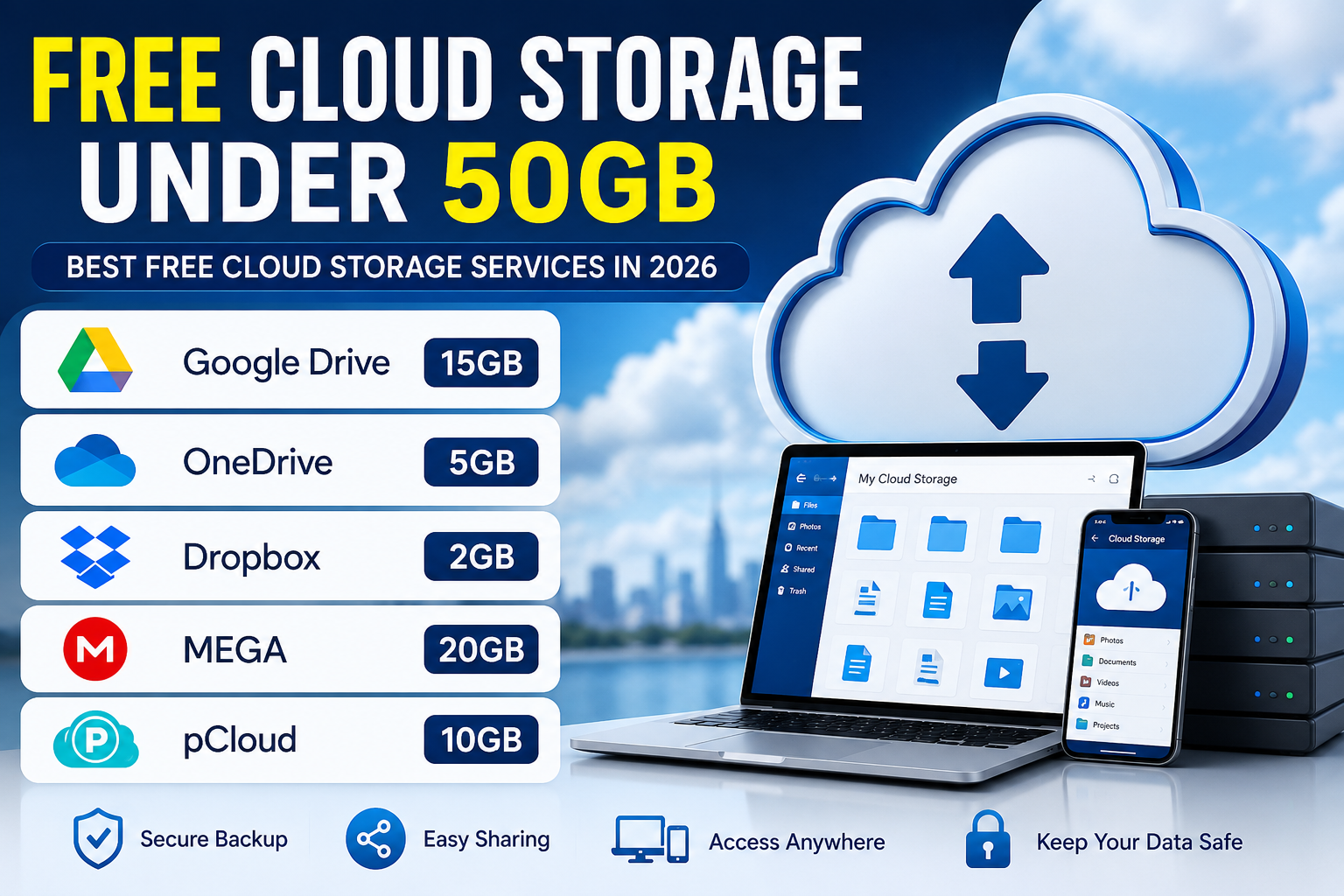
There are several well-known cloud storage platforms that offer free tiers or limited free storage. Their exact capacities and features can change, so always check the provider’s current plan before relying on a specific storage limit.
Google Drive
Google Drive is one of the most recognizable options for everyday cloud storage. It works closely with Google’s productivity ecosystem, making it convenient for users who already use services such as Docs, Sheets, and Gmail.
The free account includes a limited amount of storage shared across Google’s services.
Its biggest advantage is convenience. Files can be accessed through a browser or mobile application, and sharing documents with other people is straightforward.
For users who already have a Google account, there is little setup involved.
Microsoft OneDrive
OneDrive is another popular choice, particularly for people who regularly use Windows and Microsoft products.
It integrates with Microsoft’s ecosystem and can make document synchronization convenient across compatible devices.
Its free tier provides limited storage, while paid Microsoft plans can provide considerably more space.
OneDrive can be especially useful for users who work regularly with Microsoft Office files.
Dropbox
Dropbox helped popularize modern cloud file synchronization and remains a familiar option for storing and sharing files.
Its free storage allowance is relatively limited compared with some alternatives, but its simple interface and file-sharing features make it useful for smaller collections of documents.
If your priority is straightforward file synchronization rather than maximum free capacity, Dropbox can still be worth considering.
MEGA
MEGA is well known for emphasizing privacy and security. It has historically offered a larger free storage allowance than many mainstream competitors, although the exact amount and conditions can change.
Its focus on encrypted storage makes it attractive to users who place a high value on privacy.
However, you should always review the current free-plan terms and understand any restrictions before choosing a service primarily because of its advertised storage capacity.
How to Use Your Free Storage Efficiently
Even when you have several gigabytes available, storage can disappear quickly if you upload large videos or duplicate files.
A few simple habits can help you get more value from your account.
Remove Duplicate Files
Duplicate photos, videos, downloads, and documents can consume significant space.
Before uploading large collections, organize your files and remove unnecessary copies.
Compress Large Files
Compression can reduce the size of certain types of files. Documents and folders containing many small files can sometimes benefit significantly from compression.
However, already-compressed formats such as many videos, JPEG images, and MP3 files may not shrink much.
Organize Your Folders
A simple folder structure makes cloud storage easier to manage.
You might create folders such as:
- Work
- Personal
- Photos
- Documents
- Projects
- Backups
Good organization also makes it easier to find and delete files later.
Don’t Use Cloud Storage as Your Only Backup
Cloud storage is useful, but it shouldn’t necessarily be your only copy of important data.
If a document is extremely important, consider keeping another backup on an external drive or another secure location.
This follows the basic principle that important files should not depend on a single storage location.
Is Free Cloud Storage Safe?
Generally, established cloud providers invest heavily in security, but no online service should be considered completely risk-free.
Your own account security also matters.
Use a strong password and enable two-factor authentication whenever it is available. Avoid uploading highly sensitive information to an unfamiliar service simply because it offers a large amount of free storage.
It is also worth reading the provider’s privacy policy to understand how your information is handled.
Free vs Paid Cloud Storage
Free plans are ideal for people with modest storage requirements. They allow you to store essential documents and experiment with cloud-based workflows without spending money.
Paid plans become more attractive when you need:
- Large video libraries
- Extensive photo backups
- Business documents
- Multiple users
- Advanced collaboration features
- Hundreds of gigabytes or terabytes of storage
For casual users, however, a free plan may be perfectly adequate.
How to Choose the Right Service
The best free cloud storage under 50gb depends on what you actually need.
If you prioritize productivity and already use Google services, Google Drive may be the most convenient option. Windows and Microsoft 365 users may prefer OneDrive. Dropbox can be useful when simple synchronization and sharing are important, while privacy-focused users may want to investigate services such as MEGA.
Instead of choosing based solely on storage capacity, compare security, accessibility, synchronization, sharing, and the provider’s reputation.
Final Thoughts
Choosing free cloud storage under 50gb is a practical way to store important files online without immediately committing to a monthly subscription. Several established providers offer free plans, although the amount of storage and included features vary.
For the best experience, consider more than just the number of gigabytes. Security, device compatibility, synchronization, sharing tools, and privacy policies can make a major difference in everyday use.
If you only need space for documents, selected photos, and smaller files, a free plan may provide everything you need. As your storage requirements grow, you can always evaluate whether upgrading to a paid plan makes sense.
FAQs
Is 50GB of free cloud storage enough?
For documents, smaller photo collections, and everyday files, 50GB can be plenty. Large video libraries can consume it much faster.
What is the best free cloud storage service?
There isn’t one universal winner. The right choice depends on storage capacity, security, synchronization, privacy, and the devices you use.
Can I access cloud storage from my phone?
Yes. Most major cloud storage services provide mobile apps that allow you to upload, download, view, and manage files.
Is free cloud storage permanent?
Usually, free accounts remain available under the provider’s terms, but storage limits, policies, and features can change. Always check the current terms of service.
Should I keep important files in two places?
Yes. For especially important documents and personal data, maintaining a second backup can protect you if your primary account or storage device becomes unavailable.