
Best AI Tools 2026: Free and Paid Picks to Build Your Own AI Stack
Search for the best AI tools 2026 and you will find dozens of lists that all say roughly the same thing: use ChatGPT, then maybe Claude and Gemini. That is not wrong, but it is not very helpful either. The real question is not “which tool is number one?” but “which tools fit the work I actually do?”
This guide takes a different approach. Instead of ranking tools in one long list, we group them by job, show where free plans are enough, and finish with simple stacks you can copy. If you are new here, you can also browse more practical tech guides on the SosoActive homepage.
Quick Answer: Which AI Tool Should You Start With?
If you only want one tool today, start with a general-purpose assistant such as ChatGPT, Claude or Gemini. All three have free plans and can handle everyday questions, writing help and basic research. Add a specialist tool only when you hit a clear limit, for example when you need cited research, a coding editor or image generation.
| Your main goal | Good starting point | Why it fits |
|---|---|---|
| Everyday questions and general work | ChatGPT | Broad features and a large ecosystem |
| Long writing and careful analysis | Claude | Strong at structured, natural-sounding text |
| Google Docs, Gmail and Drive users | Gemini | Works inside the Google apps you already use |
| Research with sources you can check | Perplexity | Answers come with citations |
| Writing and editing code | Cursor or GitHub Copilot | Built into the coding workflow |
| Images and design | Midjourney or Adobe Firefly | Made for visual work |
| Voice and audio | ElevenLabs | Focused on natural voice generation |
| Connecting apps and automating tasks | n8n | Flexible workflows, with a free self-hosted option |
The Best AI Tools in 2026 by Use Case
1. General-Purpose Assistants
These are the tools most people mean when they say “AI”. They answer questions, summarize text, brainstorm and help with drafts.
- ChatGPT: The most versatile all-rounder, useful for casual use, research and voice conversations.
- Claude: A strong choice if you write a lot or work with long documents and want clearer, less robotic output.
- Gemini: The natural pick if your day already happens inside Google Workspace.
Tip: Do not pay for all three. Try the free version of each for a week on your real tasks, then keep one.
2. Research and Fact-Checking
General chatbots can sound confident even when they are wrong. For research, a tool that shows its sources saves time. Perplexity is popular here because you can click through to the original pages and verify claims yourself. Whatever you use, always check important numbers, dates and quotes before you publish or act on them.
3. Writing and Content
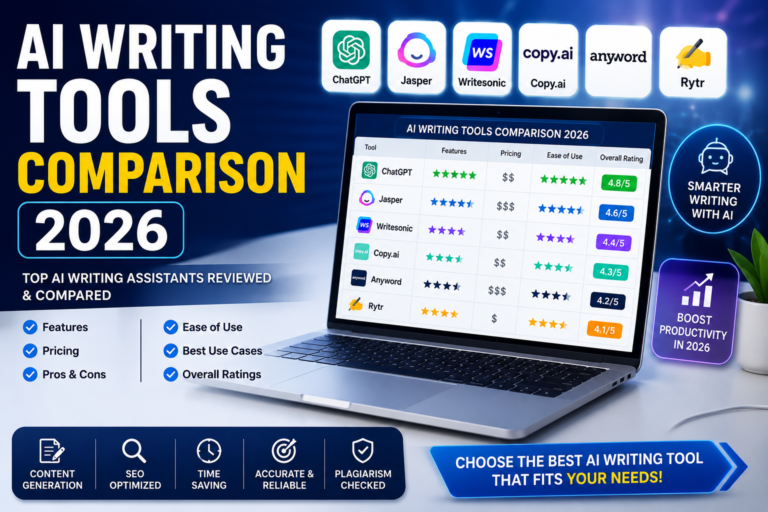
For blog posts, emails and reports, a general assistant is usually enough. The difference comes from how you use it: give it your audience, your tone and a clear outline, then edit the result in your own words. We compared the main writing assistants in our AI writing tools comparison for 2026, which is worth reading before you choose a paid plan.
4. Coding
Coding tools now sit inside the editor itself. Cursor is an AI-first code editor, while GitHub Copilot adds assistance to editors you may already use and offers a range from free to paid plans. Even if you are not a developer, these tools can help you build small internal tools or simple pages, as long as you review what they generate.
5. Images, Video and Voice
Midjourney is widely known for high-quality AI images, and Adobe Firefly is built for creative workflows. For realistic voices and multilingual audio, ElevenLabs is a common choice. These are specialist tools, so add them only when you have a clear creative need.
6. Automation
n8n lets you connect apps and build workflows, with a free self-hosted option and paid cloud plans. It has a steeper learning curve than simple no-code tools, so it suits people who are comfortable experimenting. Other automation platforms exist, but the core idea is the same: let AI handle repeat tasks so you do not have to.

Free vs Paid: When Should You Upgrade?
Most people do not need a paid plan on day one. Upgrade only when a free plan blocks real work. Good reasons include:
- You keep hitting daily message or usage limits.
- You need longer documents, file uploads or more advanced features.
- You use the tool for paid work and time saved clearly beats the monthly cost.
Many general assistants sit around the $20 per month mark for their main paid plan, while specialist and team tools can cost more. Prices and limits change often, so always check the official pricing page before you subscribe. If you are a student on a tight budget, start with our guide to the best free AI tools for students in 2026.
Three Simple AI Stacks You Can Copy
| User type | Suggested stack | Budget idea |
|---|---|---|
| Student or beginner | One free general assistant plus a free research tool | Start at zero |
| Blogger or content creator | One paid writing assistant, an image tool and a research tool | Add tools one at a time |
| Developer or small team | A coding editor, one general assistant and an automation tool | Pay only for what you use daily |
The principle is simple: fewer tools, used well, beat a long list of half-used subscriptions. This is sometimes called an “invisible stack”: tools that fit into your existing workflow instead of adding another tab to manage.
How to Choose the Right AI Tool: 4 Questions
- What task takes me the most time each week? Start there, not with the newest tool.
- Does it work with the apps I already use? Integration matters more than features you never touch.
- Can I verify its output? For research and facts, prefer tools that show sources.
- What happens to my data? Read the privacy settings before you paste anything sensitive.
Privacy and Safety Checklist
Many free or cheap AI tools may use your inputs to improve their models, depending on their settings. Before you rely on any tool:
- Do not paste passwords, financial details or private client data.
- Look for options to turn off training on your data.
- For business use, prefer plans that clearly describe data retention and compliance.
- Download apps only from official stores, and keep your devices clean. If something seems off, see our guide on how to remove malware from your phone.
Common Mistakes to Avoid
- Chasing every new tool. Pick a small set and learn it well.
- Publishing AI text without editing. Add your own experience, examples and voice.
- Trusting facts blindly. Verify names, numbers and dates.
- Paying for overlapping subscriptions. Two tools that do the same job are one too many.
Frequently Asked Questions
What are the best AI tools in 2026?
It depends on your use case. ChatGPT, Claude and Gemini are the strongest general starting points, Perplexity is useful for research with sources, Cursor and GitHub Copilot help with coding, and Midjourney or Adobe Firefly suit image work.
What is the best free AI tool in 2026?
The free plans of ChatGPT, Claude and Gemini are all capable for everyday tasks. Try each on your own work and keep the one that gives you the most useful answers.
Are paid AI tools worth it?
Yes, if you use them for work and they save you real time. If you only use AI occasionally, free plans are usually enough.
Do I need more than one AI tool?
Often yes, but not many. One general assistant plus one or two specialist tools covers most people.
Is it safe to share personal data with AI tools?
Avoid sharing sensitive information. Check each tool’s privacy settings and data policy before you use it for anything private or confidential.
Final Thoughts
The best AI tools of 2026 are not the ones with the loudest launch, but the ones that quietly remove work from your week. Start with one general assistant, add a specialist tool only when you need it, and check the output yourself. For more simple, practical guides like this one, visit the SosoActive homepage, and see our earlier overview of the top AI tools for work, writing, research and coding.