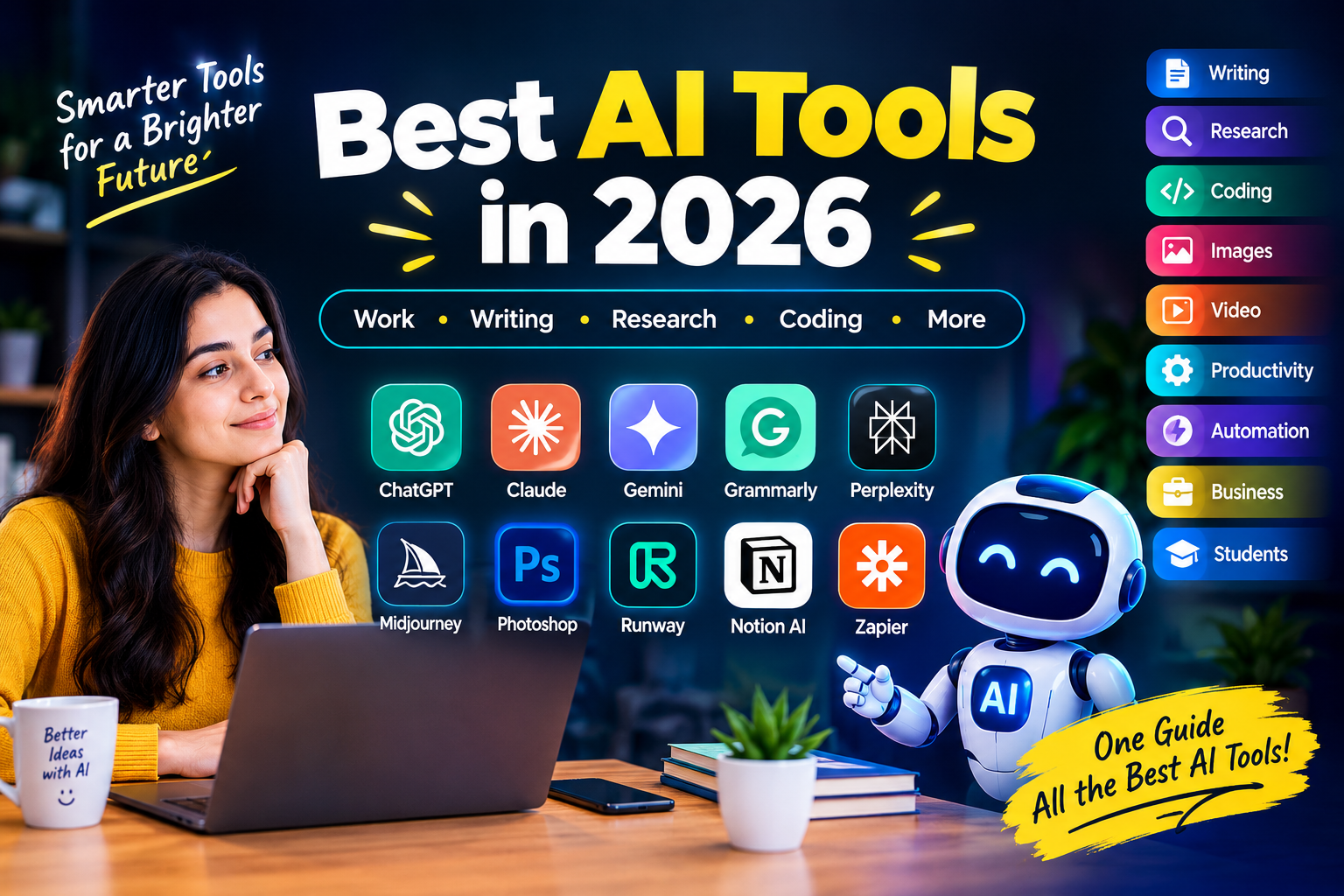
Best AI Tools in 2026: Top AI Tools for Work, Writing, Research, Coding & More
Artificial intelligence has quickly become part of everyday digital work. People now use AI tools for writing, research, coding, image generation, video creation, productivity, automation, and many other tasks.
The challenge is no longer finding an AI tool. The challenge is finding the right one.
There are now specialized AI tools for almost every type of digital work. Some are designed for general assistance, while others focus on writing, research, coding, creative work, productivity, or automation.
So, what are the best AI tools in 2026?
There is no single tool that is perfect for everyone. The right choice depends on your specific task, budget, workflow, integrations, and the features you need.
This guide covers the best AI tools by category so you can find the right option for your needs.
Quick Answer: What Are the Best AI Tools?
Some popular AI tools across different categories include:
- ChatGPT — General AI assistance, writing, research, analysis, and coding
- Claude — Writing, analysis, and coding
- Gemini — Google-focused AI assistance and productivity
- Grammarly — Writing and editing
- Perplexity — Research and source discovery
- Cursor — AI-assisted coding
- GitHub Copilot — Programming assistance
- Midjourney — AI image generation
- Photoshop — AI-assisted image editing
- Runway — AI video creation
- Notion AI — Productivity and knowledge management
- ClickUp — Project management
- Zapier — Workflow automation
- n8n — Custom automation
- Microsoft Copilot — Business and Microsoft workflows
The best tool depends on what you want to accomplish. If you want a budget-first view, see our guide to free and paid AI tools for 2026 and how to build a simple AI stack.
What Are AI Tools?
AI tools are software applications that use artificial intelligence to help users complete tasks that traditionally required manual work.
Depending on the tool, AI can help you:
- Write and edit content
- Research information
- Summarize documents
- Analyze information
- Generate images
- Create videos
- Write and review code
- Take meeting notes
- Organize projects
- Automate repetitive tasks
- Build websites
- Create presentations
- Manage workflows
AI tools are also becoming more connected to existing software. Instead of simply asking a chatbot a question, users can combine AI assistants, specialized tools, and automation platforms to create complete workflows.
Best AI Tools by Category
1. ChatGPT — General-Purpose AI Assistant
ChatGPT is a general-purpose AI assistant that can support many different tasks.
You can use it for writing, brainstorming, summarization, analysis, learning, coding, planning, and other everyday workflows.
Best for:
- Writing
- Brainstorming
- Research assistance
- Coding
- Learning
- Content creation
- Document analysis
- Productivity
Its biggest advantage is flexibility. One tool can support many different workflows.
2. Claude — Writing, Analysis and Long Documents
Claude is an AI assistant that can be used for writing, analysis, coding, document work, and other knowledge tasks.
It can be particularly useful when your workflow involves detailed instructions or substantial written material.
Best for:
- Long-form writing
- Editing
- Document analysis
- Brainstorming
- Coding
- Structured content
3. Google Gemini — Google Ecosystem Users
Google Gemini is Google’s AI assistant and is particularly useful for people who already use Google’s ecosystem.
Depending on the available features and plan, Gemini can support writing, research, coding, and other productivity tasks.
Best for:
- Google users
- Research
- Writing
- Multimodal tasks
- General AI assistance
Best AI Writing Tools
Grammarly
Grammarly focuses on improving written communication.
It can help with grammar, clarity, tone, and general writing quality.
Best for:
- Emails
- Business writing
- Grammar
- Editing
- Tone improvement
- Professional communication
ChatGPT and Claude
General AI assistants can also help with:
- Blog outlines
- Articles
- Product descriptions
- Emails
- Social media posts
- Headlines
- Rewriting
- Summaries
AI-generated content should always be reviewed before publication, particularly when accuracy and originality matter.
Best AI Research Tools
Perplexity
Perplexity is designed around AI-powered search and research.
It can help users explore topics, discover sources, and find information with supporting citations.
Best for:
- Research
- Source discovery
- Current information
- Topic exploration
- Comparing information
Important information should still be verified against the original source.
ChatGPT and Gemini
General AI assistants can also support research by helping you:
- Generate research questions.
- Organize information.
- Summarize documents.
- Compare information.
- Explain difficult concepts.
- Turn notes into an outline.
A useful workflow is:
Discover → Verify → Organize → Write
Best AI Coding Tools
Cursor
Cursor is an AI-focused code editor designed to help developers write, understand, modify, and debug code.
Best for:
- Software development
- Code generation
- Debugging
- Refactoring
- Existing codebases
- Multi-file projects
GitHub Copilot
GitHub Copilot provides AI assistance inside development environments.
It can help developers with code suggestions, explanations, and programming tasks.
Best for:
- Code completion
- Programming assistance
- Developer productivity
- Understanding unfamiliar code
AI-generated code should always be reviewed and tested before production use.
Claude Code
Claude Code is designed for broader AI-assisted coding workflows.
It can help developers work with codebases and perform larger development tasks.
Best for:
- Larger coding tasks
- Multi-file projects
- Codebase understanding
- Refactoring
- Development workflows
Best AI Image Generation Tools
Midjourney
Midjourney is an AI image-generation platform used for creating visual concepts and artwork from prompts.
Common uses include:
- Concept art
- Marketing visuals
- Social media graphics
- Creative projects
- Visual experimentation
Adobe Photoshop
Photoshop combines traditional image editing with AI-powered features.
It is useful when you want to modify an existing image rather than simply generate a new one.
Best for:
- Professional image editing
- Photo manipulation
- Generative editing
- Designers
- Photographers
Best AI Video Tools
Runway
Runway is an AI-focused creative platform for video generation and editing.
AI video tools can help with:
- Short-form videos
- Marketing content
- Creative concepts
- Visual effects
- Social media videos
- Video experimentation
Before choosing an AI video tool, check its current pricing, generation limits, resolution, and commercial-use terms.
Best AI Productivity Tools
Notion AI
Notion combines documents, notes, databases, and project organization with AI features.
It can help users summarize information, generate content, organize notes, and manage knowledge.
Best for:
- Notes
- Documentation
- Knowledge management
- Content organization
- Team collaboration
ClickUp
ClickUp combines project management with AI capabilities.
It can help with task organization, summaries, project workflows, and productivity.
Best for:
- Project management
- Task management
- Team collaboration
- Business workflows
- Productivity
Best AI Automation Tools
Zapier
Zapier connects applications and automates repetitive workflows.
For example, a business could connect forms, AI tools, spreadsheets, CRM systems, email platforms, and notifications into one workflow.
Best for:
- Business automation
- Marketing workflows
- Lead management
- Repetitive tasks
- App integrations
n8n
n8n is another automation platform that can be useful for customizable workflows.
It can connect applications, APIs, data sources, and AI components.
Best for:
- Custom workflows
- AI automation
- API-based workflows
- Developer-friendly automation
- Complex workflows
Best AI Tools for Business
Microsoft Copilot
Microsoft Copilot is particularly relevant for organizations that use Microsoft products.
It can support productivity and AI-assisted work across Microsoft’s ecosystem.
Best for:
- Microsoft 365 users
- Business productivity
- Office workflows
- Enterprise environments
- AI-assisted documents
Businesses should consider security, permissions, privacy, compliance, and data handling before deploying AI tools at scale.
Best AI Website Builders
Wix
AI website builders can help beginners and businesses create websites without starting every component manually.
They can assist with:
- Website structure
- Content
- Layouts
- Branding
- Basic website creation
Best for:
- Beginners
- Freelancers
- Small businesses
- Portfolio websites
- Landing pages
AI-generated websites should still be reviewed for SEO, branding, accessibility, mobile performance, and accuracy.
Best AI Tools for Students
Students can use AI tools for learning and productivity while following their school’s or university’s rules.
Useful applications include:
- Explaining difficult concepts
- Creating study questions
- Summarizing notes
- Brainstorming
- Language practice
- Organizing research
- Reviewing writing
AI should support learning rather than replace it. For a student-focused list, read our guide to the best free AI tools for students in 2026.
Best Free AI Tools
Many AI platforms offer free plans or limited free usage.
Free AI tools can be useful for:
- Brainstorming
- Basic writing
- Simple research
- Learning
- Summarization
- Experimentation
- Basic coding
Before choosing a free tool, check:
- Usage limits
- Available models
- File limits
- Export options
- Privacy policy
- Commercial-use restrictions
- Data-training policies
Free does not always mean unlimited.
AI Tools Comparison
| AI Tool | Category | Best Use |
| ChatGPT | General AI | Writing, analysis, planning |
| Claude | General AI | Writing and analysis |
| Gemini | General AI | Google-focused workflows |
| Grammarly | Writing | Editing and communication |
| Perplexity | Research | Search and source discovery |
| Cursor | Coding | AI-assisted development |
| GitHub Copilot | Coding | Code assistance |
| Claude Code | Coding | Larger development tasks |
| Midjourney | Images | Image generation |
| Photoshop | Images | AI image editing |
| Runway | Video | Video creation |
| Notion AI | Productivity | Notes and knowledge |
| ClickUp | Productivity | Projects and tasks |
| Zapier | Automation | Workflow automation |
| n8n | Automation | Custom workflows |
| Microsoft Copilot | Business | Microsoft workflows |
| Wix | Websites | AI website creation |
How to Choose the Right AI Tool
Instead of asking only “What is the best AI tool?”, ask:
“What is the best AI tool for the task I need to complete?”
1. Identify Your Task
First decide exactly what you want AI to help you accomplish.
2. Choose General or Specialized AI
Use a general assistant when you need flexibility. Choose a specialized tool when you need advanced features for one particular workflow.
3. Check Integrations
Make sure the tool works with the software you already use.
4. Compare Pricing
Check usage limits, available models, file limits, team features, API access, and automation limits.
5. Check Privacy
If you work with confidential business information, customer data, or source code, understand how the provider handles your information.
6. Test Before Paying
If a free plan or trial is available, test it with a real task before purchasing.
AI Trends in 2026
The AI market is moving beyond simple chatbot interactions.
AI Agents
AI systems are increasingly designed to perform multiple steps rather than simply answer one question.
AI Inside Existing Software
AI is increasingly appearing directly inside productivity, coding, design, and business applications.
Specialized AI
AI tools continue to grow around coding, research, image generation, video, automation, and productivity.
AI Workflows
Instead of using one tool for everything, users can combine multiple tools:
Research → Writing → Editing → Design → Automation → Publishing
Are AI Tools Replacing Human Workers?
AI can automate and accelerate some tasks, but its impact varies by job and industry.
Human judgment remains important for:
- Strategy
- Context
- Risk assessment
- Creativity
- Accountability
- Complex decisions
- Relationship management
A more practical question is often:
Which parts of your work can AI improve or automate?
Risks of AI Tools
AI tools can save time, but they also have limitations.
Common risks include:
- Incorrect information
- Outdated information
- Hallucinated facts
- Fake citations
- Privacy concerns
- Security issues
- Copyright concerns
- Over-reliance on automation
For important work, use AI as an assistant rather than an unquestionable authority.
Frequently Asked Questions
What are the best AI tools in 2026?
The best AI tool depends on your task. Popular categories include general assistants such as ChatGPT, Claude, and Gemini; research tools such as Perplexity; coding tools such as Cursor and GitHub Copilot; creative tools such as Midjourney and Photoshop; and automation platforms such as Zapier and n8n.
Which AI tool is best for writing?
ChatGPT and Claude can help with drafting, rewriting, brainstorming, and long-form content. Grammarly is particularly useful for editing, grammar, clarity, and tone.
Which AI tool is best for research?
Perplexity, ChatGPT, and Gemini can assist with research. Important information should be checked against original or authoritative sources.
Which AI tool is best for coding?
Cursor, GitHub Copilot, and Claude Code are examples of AI coding tools. The appropriate choice depends on your development environment and the type of coding work you need to perform.
What is the best free AI tool?
There is no single free AI tool that is best for every task. Compare free plans based on your specific needs, usage limits, available features, and privacy requirements.
What are the best AI tools for students?
Students can use general AI assistants for explanations, brainstorming, study questions, summarization, and writing support. They should verify information and follow academic-integrity policies.
What are the best AI tools for business?
Business users can consider general AI assistants, Microsoft Copilot, productivity platforms such as ClickUp and Notion, and automation platforms such as Zapier and n8n.
Can I use multiple AI tools together?
Yes. Different tools can be combined for research, writing, coding, design, productivity, and automation.
Are AI tools worth paying for?
It depends on how often you use them and whether their paid features save meaningful time or improve your workflow. Testing a free plan first can help you decide.
Final Thoughts
The AI market is growing quickly, and there are more tools available than ever.
The goal is not to collect the largest number of AI subscriptions. The goal is to find tools that genuinely improve the work you already do.
For general assistance, consider flexible AI assistants. For research, use AI-powered research tools. Developers can explore AI coding tools, while creators can use image and video platforms. Businesses can combine productivity software with automation tools.
Most importantly, choose AI tools based on your actual needs, workflow, budget, privacy requirements, and desired results.
The best AI tool for you is ultimately the one that helps you complete your work more effectively without adding unnecessary complexity.